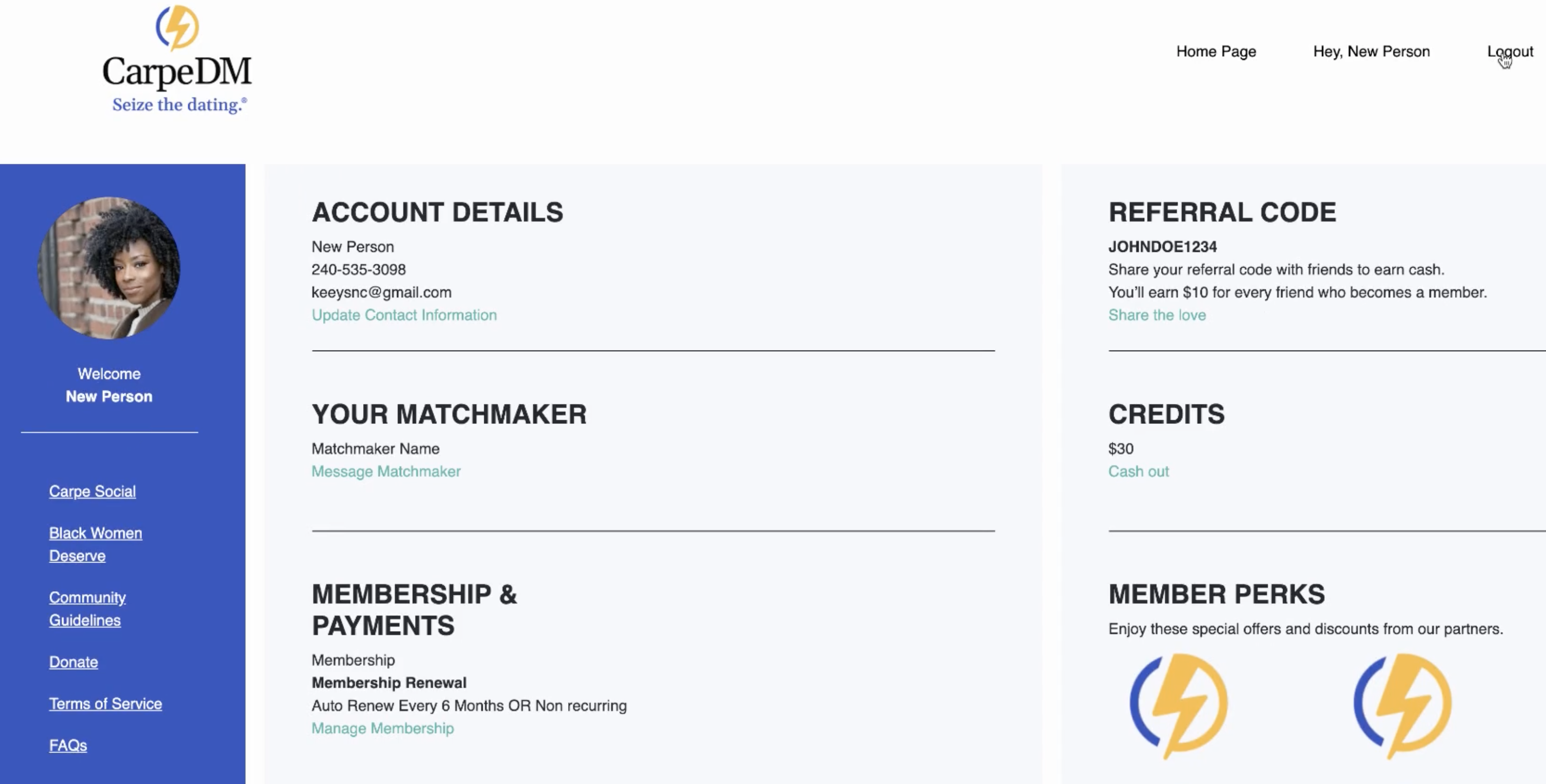
CarpeDM Dating - Membership Onboarding Flow & Dashboard
2026-03-01
View App
Role & Impact
- Role: Founding Software Engineer + UI/UX Advisor (Consultant)
- Impact:
- I built a web-based microservice that took users through a subscription and background verification funnel, eventually leading to a member dashboard, where they can do various actions, including:
- Updating profile info, which updates in the mobile app
- Delete their profile - removes profile from mobile app
- Update subscription
- Collect rewards and discounts
- List articles from the marketing website
- View and contact your personal matchmaker
- Integrated the Stripe API to power multiple checkout flows and surfaced MongoDB data within the payment funnel and member dashboard to support dynamic pricing and account visibility.
- Integrated the Rewardful API with the Stripe API to enable members to earn and redeem discount credits.
- Containerized the application with Docker and configured AWS CodePipeline to support automated CI/CD workflows.
- Implemented a cross-application cookie flow between the registration microservice, membership dashboard, and the marketing site to maintain shared session/state awareness.
- Wrote extensive documentation including walkthrough videos, user flow diagrams, system diagrams, and credential onboarding docs to reduce cognitive load for new engineers.
- I built a web-based microservice that took users through a subscription and background verification funnel, eventually leading to a member dashboard, where they can do various actions, including:
Tech & Project Type
- Project Type: Dashboard | Payment Flow | UI/UX | Background Verification Flow | Microservice
- Built & tested with: Vue, Vuex, Express, Stripe API, Rewardful API
Context Overview
CarpeDM Dating is a DC-based, exclusive, member-only, video-first dating app and personalized matchmaking service designed for professional Black women and those seeking to date them. As a consultant brought on during their initial stages, I helped scope out the UX and lead the development of their web-based member onboarding process and membership dashboard.
Technical Details on Contribution
UI/UX Advisory
Partnered with a two-person design studio, Talooka Studio, to advise on the design strategy and UX architecture of the member onboarding and membership dashboard.
Member Onboarding & Dashboard User Flow
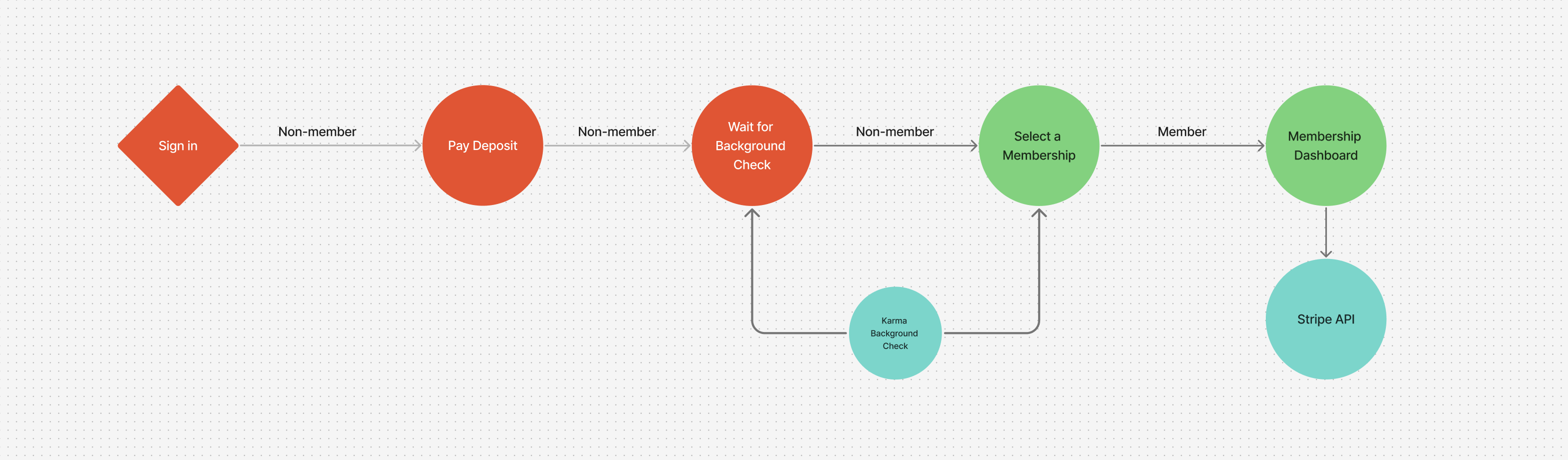
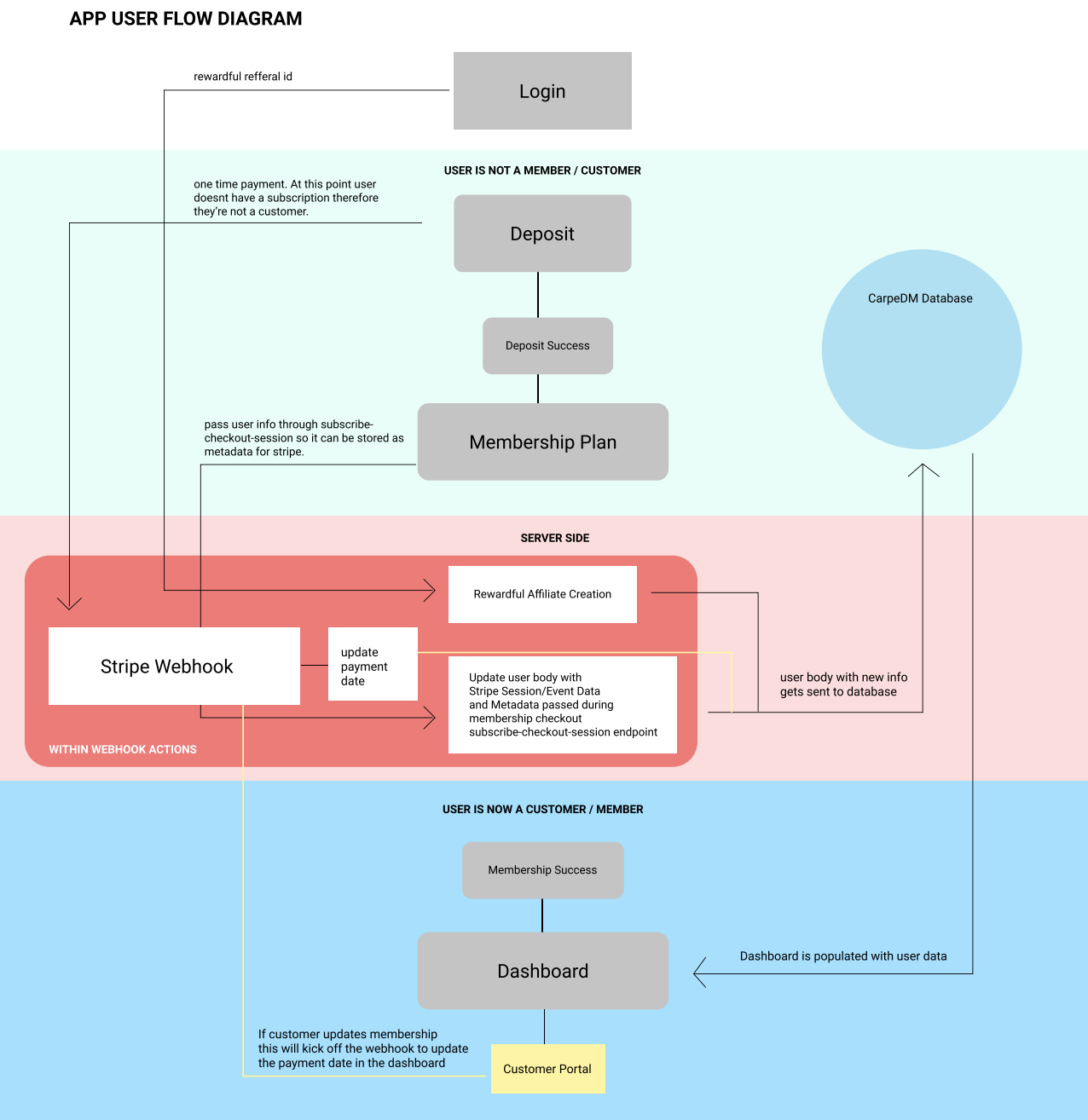
The member onboarding user flow was broken down into 5 main sections:
-
Sign in (includes authentication, password creation, and reset flow)
-
Deposit payment - User must pay deposit upfront before moving forward in the process.
- At this point, a one-time Stripe Checkout Session was required.
- A user object was created in the DB with a reference to the deposit checkout session ID.
-
Deposit Success Page - After a successful deposit payment, users were redirected to a Deposit Success page that functioned as a transitional waiting state. This interface initiated the background check process while guiding users to the next step. A call-to-action allowed them to schedule a meeting with their matchmaker during the review period.
-
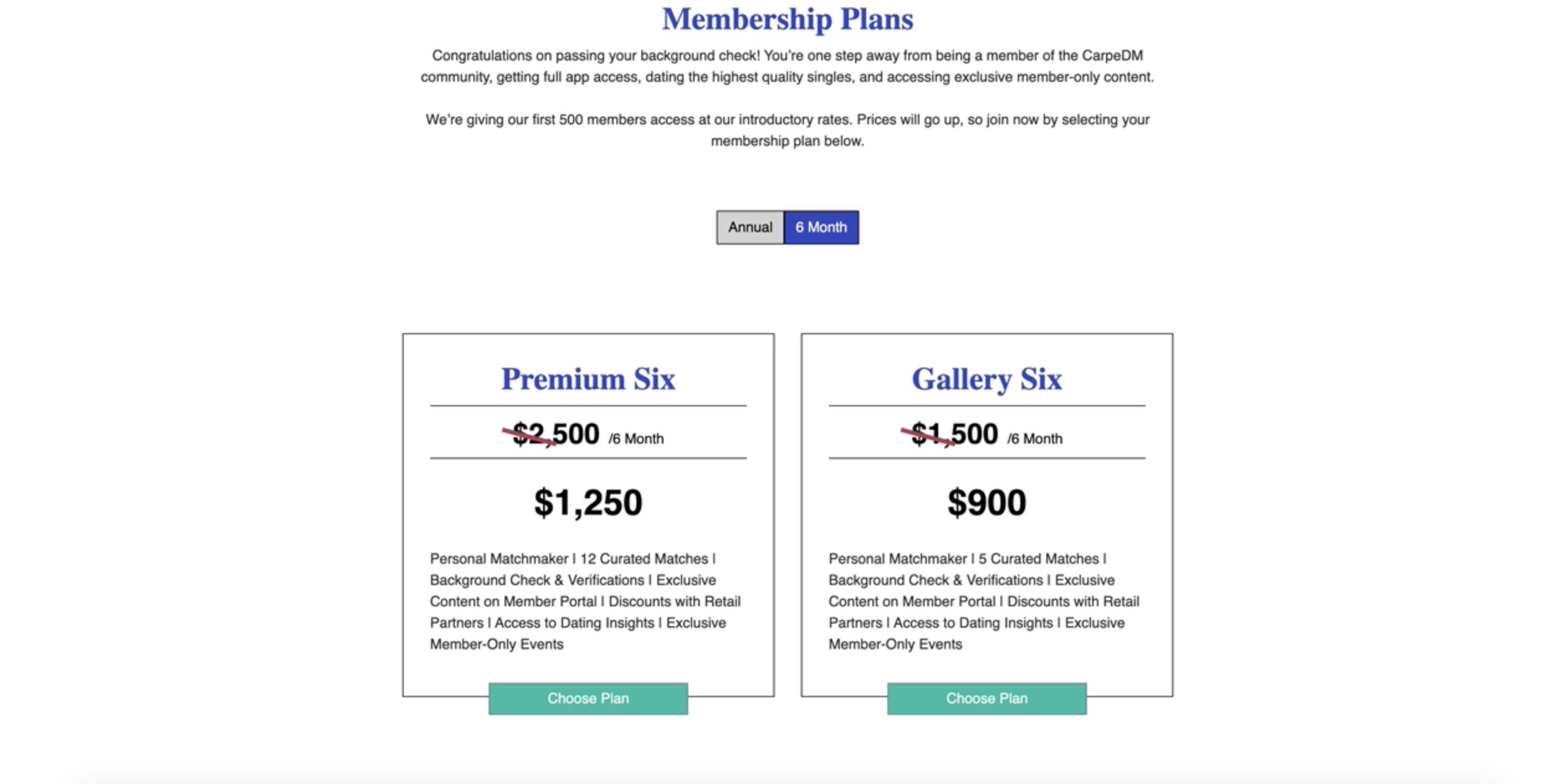
Membership Options Page - Once the background check was successful, a CarpeDM rep would reach out to the user and notify them to continue the membership process. When a user signed back in, they would be redirected to the membership options page. This interface displayed all the membership plans. Once the user selected a membership plan, they were routed to another Stripe checkout session, which did the following:
- Created a subscriptions object in Stripe, which stored payment and metadata.
- Added the membership session checkout ID to the DB so it could reference the Stripe customer object.
- After the checkout was successful, the user became an official “member”.
-
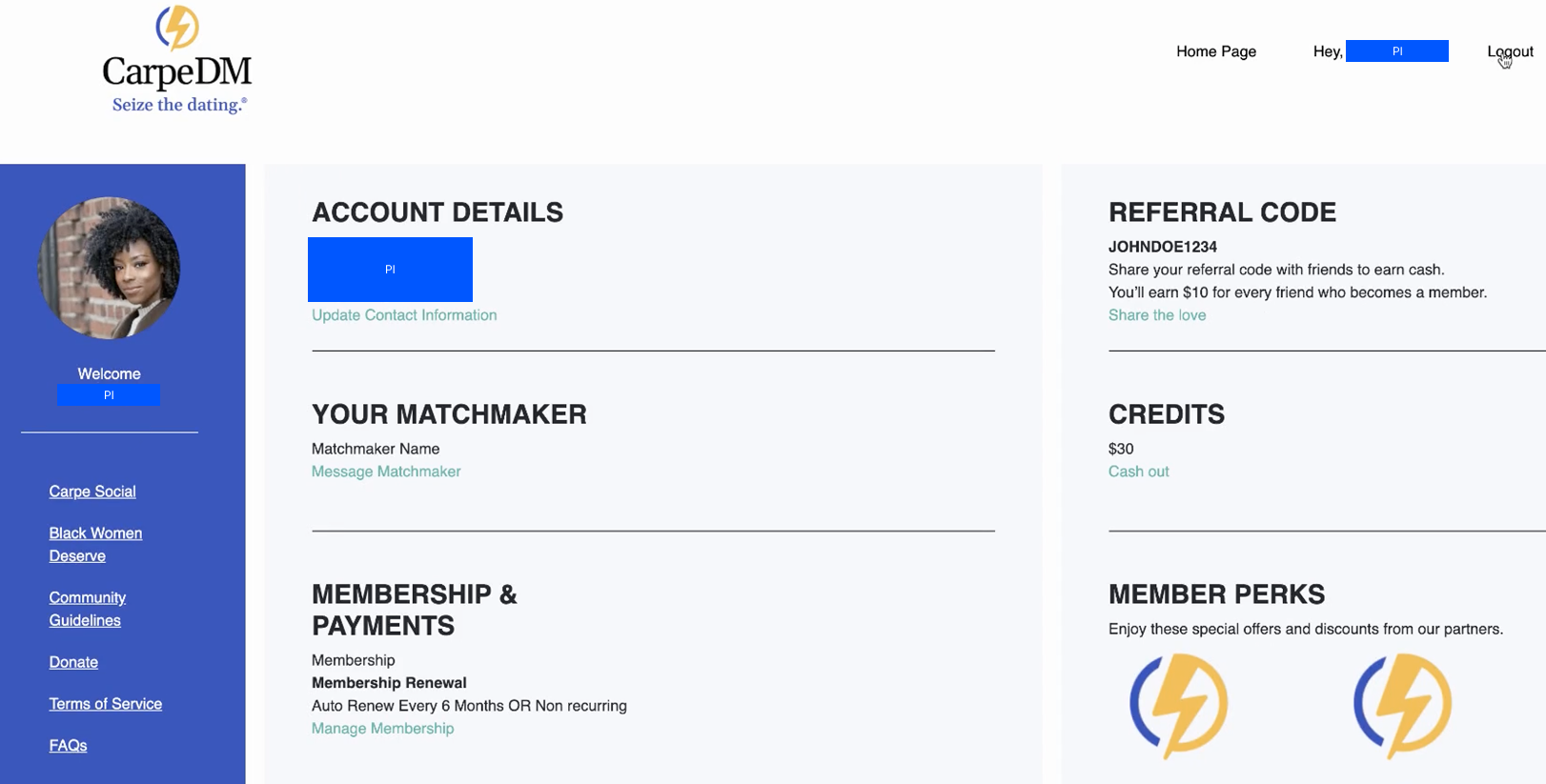
Membership Dashboard - I pulled in the member data from MongoDB and Stripe API to display interfaces for:
- Updating profile information
- Changing subscription type
- Accessing reward points
- Deleting member account
- Contacting the user’s personal matchmaker
Since the mobile app lived in the Apple App Store, the founders wanted a lower-cost method for managing user subscriptions.

Integrating Stripe API
Stripe integration represented a significant portion of the development effort. Its robust and opinionated API required deep research to properly implement payment flows, subscription management, and webhook handling within the membership portal architecture.
There were 3 main Stripe API features that I used heavily throughout the application.
-
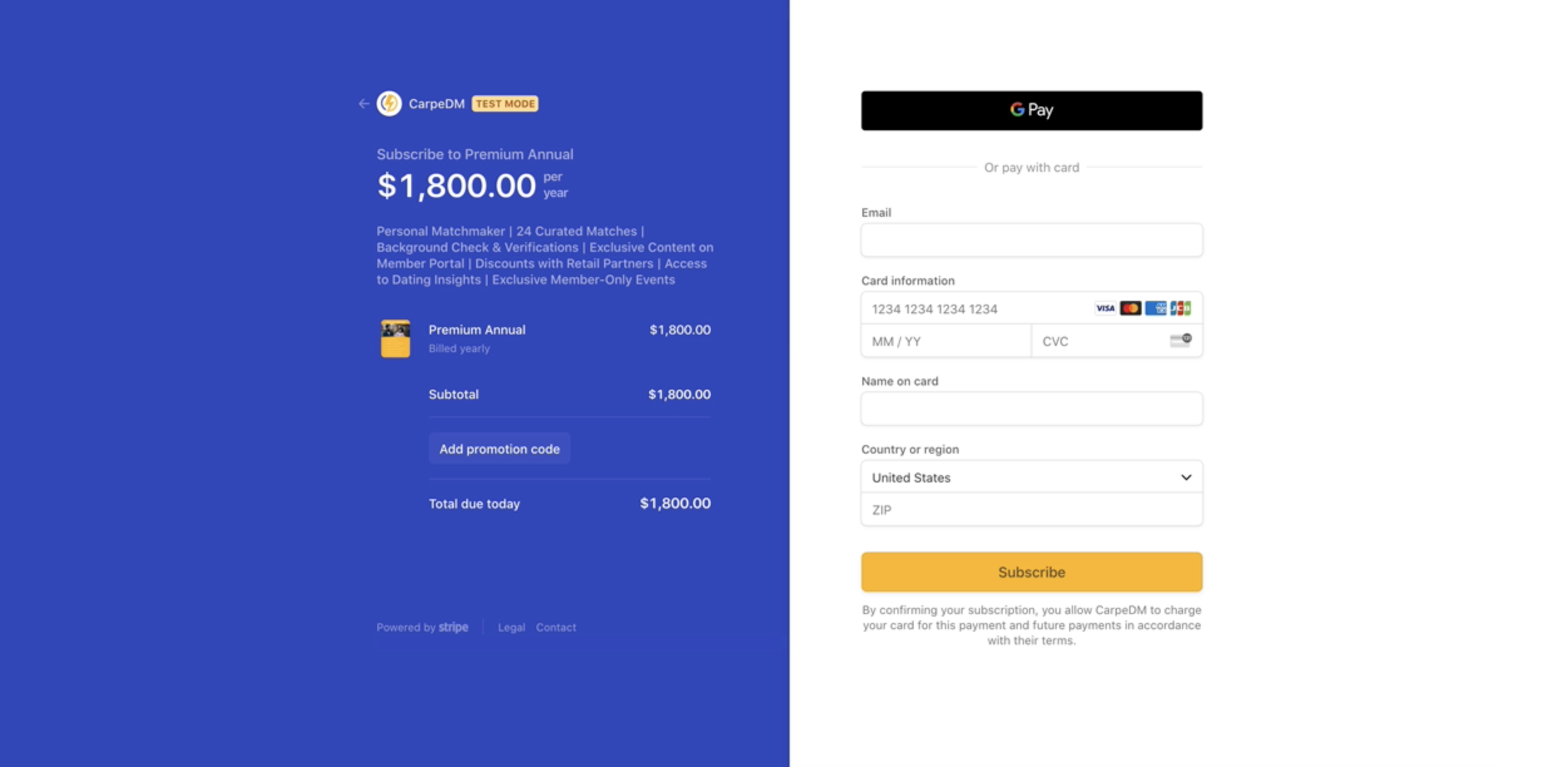
Stripe Checkout Sessions
-
This feature was set up on a node server and used to trigger the Stripe checkout UI.
-
I used a one-off session for the deposit payment checkout and a subscription session for the membership checkout.
-
-
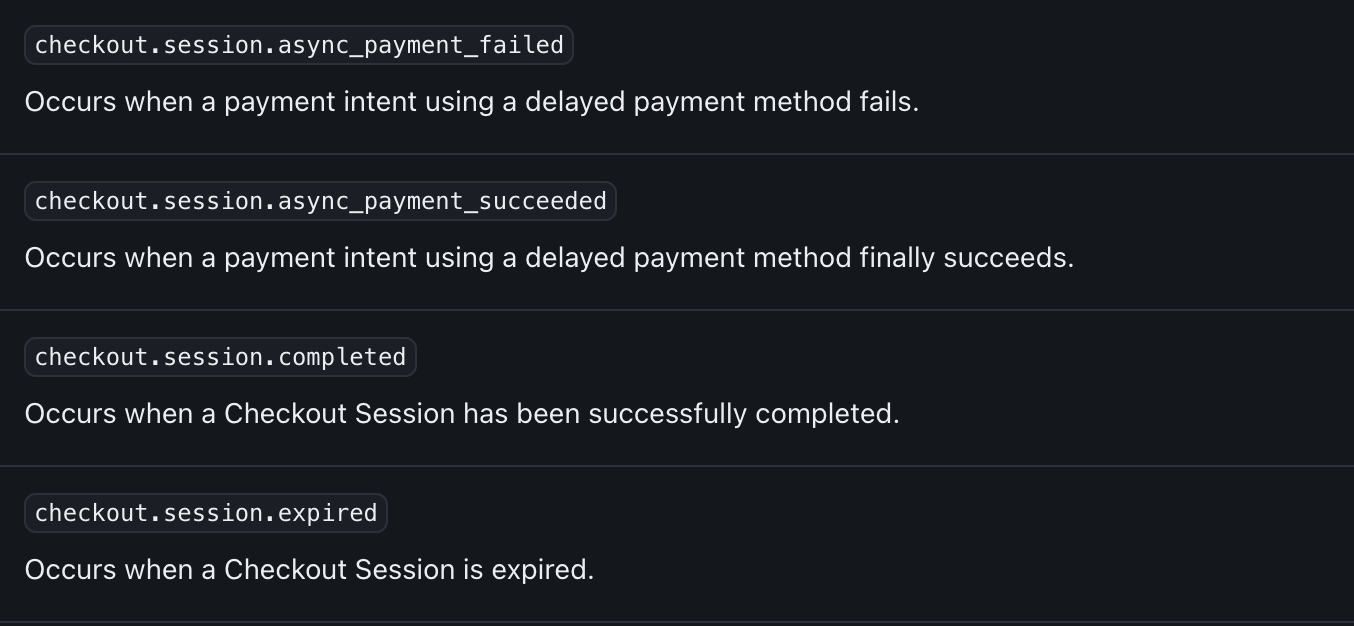
Webhooks - Webhook events were triggered during checkout sessions to pass data to MongoDB and the Stripe Dashboard.
-
Checkout Session (metadata object) - The metadata object was useful for securely passing user data into checkout sessions from the frontend. Most data handling still occurred on the backend for security.
Challenges
Bringing the onboarding and member dashboard flows to life required aligning asynchronous backend processes, payment state management, third party integration, and user-facing feedback into an overall experience.
- Testing Stripe Checkout - Stripe provides a robust testing environment, which allowed simulation of complex billing scenarios, subscription lifecycle events, and webhook triggers before production.
The CLI and sandbox were intuitive. The integration reinforced the importance of frequent testing and systematic test data cleanup to maintain development efficiency.
- Startup Decision Shifts - As an early-stage startup, feature priorities changed often. Because the team was close-knit and I worked 1:1 with founders, we aligned through frequent communication, structured meetings, and clear tradeoff discussions.
I developed detailed technical documentation and recorded test sessions to maintain transparency, reduce ambiguity, and create a shared understanding of the technical aspects and behaviors of the system.